Twinny
Free, open-source, local-first AI coding assistant for VS Code.
About
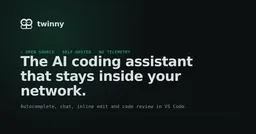
Twinny is a free and open-source (MIT) AI coding assistant for Visual Studio Code that keeps everything inside your network. It provides fill-in-the-middle code completion, chat, inline edits, and code review powered by a model server you choose — Ollama, LM Studio, or llama.cpp locally, or any hosted API. There is no telemetry and no sign-in required. A Teams offering provides a shared gateway with per-developer keys and an admin page, free for five developers and $6 per seat per month beyond that.
The honest caveat: local model quality depends entirely on your hardware and model choice — small local models lag frontier cloud models on complex reasoning. Setup requires running and configuring a model server, which is more friction than sign-in-and-go cloud assistants.
What it can do
- Fill-in-the-middle code completion as ghost text
- Sidebar chat with workspace embeddings for context
- Inline edits with diff view and CodeLens actions
- Git commit message generation and code review
- Team gateway with usage analytics and admin controls
Setup
Install twinny from the VS Code Marketplace (VS Code 1.93+). Run a model server such as Ollama; twinny auto-detects it on common ports and asks which models to use.
Prerequisites
VS Code 1.93 or newer. A model server (Ollama, LM Studio, or llama.cpp) or hosted API key.
Use cases
Works with
Trust score — 7/10
Scored 7/10 (metrics tier, metrics-v1). Evidence: Verified via vendor site/docs/GitHub and reputable coverage, wave 44 (tools-a); Trending score 68/100 from researcher assessment.
★ 3,600 GitHub stars
Sources
Every fact above was checked against these sources. Where a claim comes from the provider and couldn't be independently verified, the text says so.